
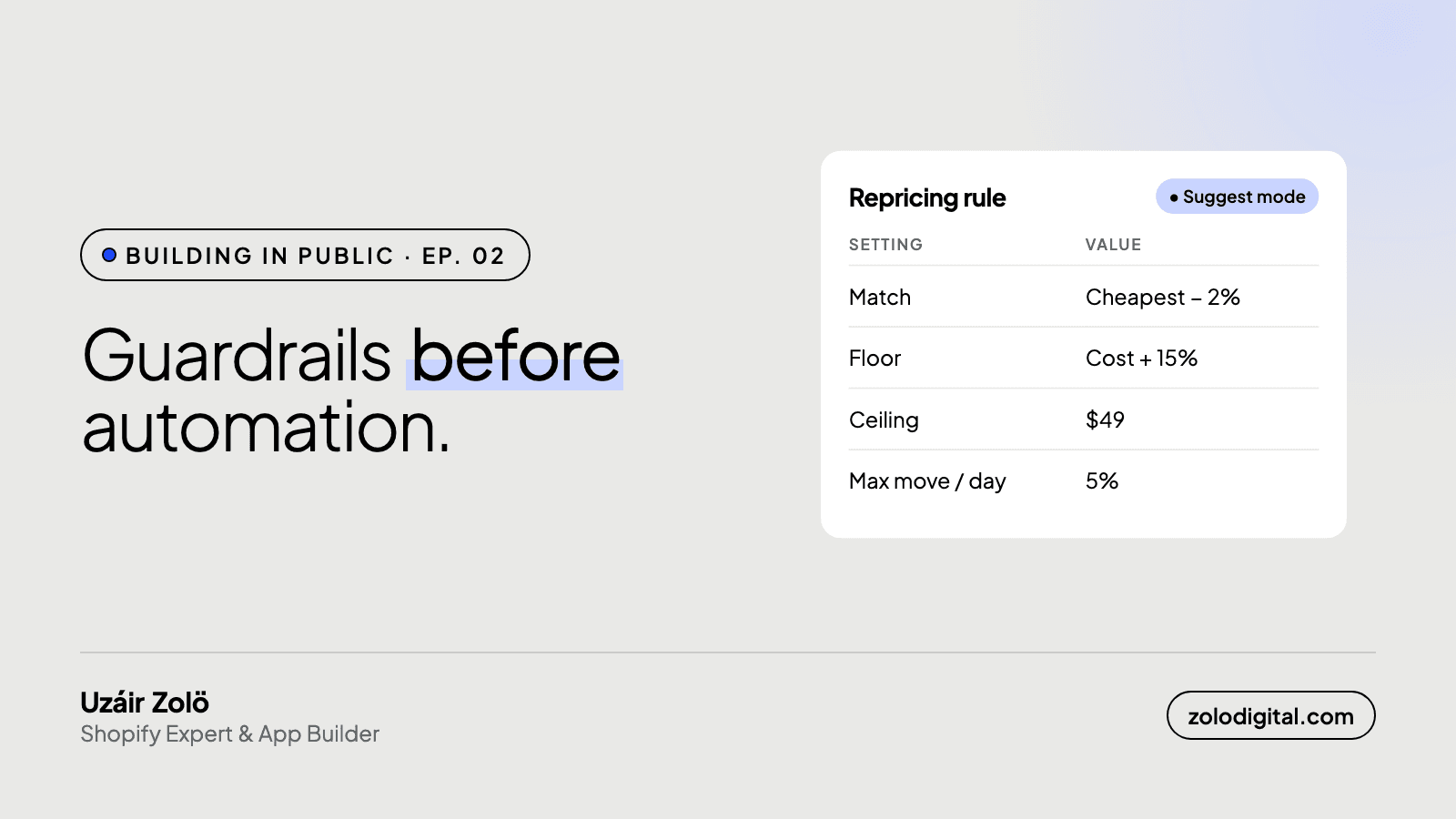
A repricing app is only safe if it can't hurt you. PriceToolKit puts five guardrails before any automation: floor and ceiling prices, a suggest-only default, caps on how far a price can move per change and per day, a reversible log of every change, and competitor links that are flagged when they break instead of trusted.
In Ep. 01 I asked store owners whether they'd trust an app to change their prices automatically. My own answer, as the one building it: not without limits.
That's the right instinct. A repricing app without guardrails can follow a competitor's mistake straight down to zero margin.
Why start with floors and ceilings?
Every rule has a floor and a ceiling. PriceToolKit will never price:
- below your cost, or cost plus a margin you set, or any fixed floor,
- above your ceiling.
If a competitor drops to a price you can't match profitably, you get told. The app doesn't follow them down.
Which modes are there, and why is "suggest" the default?
- Suggest: the app shows the price it would set, and why. Nothing changes.
- Approve: you accept or reject each change.
- Auto: changes apply on their own, within limits.
Every store starts in suggest mode. Auto mode is something you switch on deliberately, per rule.
How far can a price move in auto mode?
Even in auto mode, each change is capped by percentage, with a daily limit. A bad competitor scrape can't swing your price 40% in an afternoon.
What if a change turns out to be wrong?
Each price change is recorded with the reason behind it, and can be reverted on its own or in bulk.
What happens when a competitor link breaks?
Competitor pages change. When a tracked link stops working, it's flagged for re-matching instead of feeding stale or wrong data into your pricing.
What happens when several rules match one product?
Rules have a scope: a single variant, a product, a collection, a brand, a product type, or the whole catalogue. When more than one matches, the most specific one wins, so a rule written for one variant always beats a catalogue-wide default. That lets you set a sensible rule for everything and then carve out exceptions for the handful of products that need them, without the exceptions fighting the default.
Within a rule, you also choose which competitor price to follow: the cheapest, the average or the highest, with an offset above or below it in percent or a fixed amount. And you choose what to do when the target falls outside your floor and ceiling: clamp to the floor, clamp to the ceiling, or make no suggestion at all and tell you instead.
What does an explanation look like?
Every suggested price comes with the reasoning, step by step: which rules were considered and which one won, the competitor prices it looked at and which ones it ignored (out of stock, or not checked recently enough), the target it calculated, whether a floor or ceiling clamped it, and how rounding changed the final figure. If the explanation is right but the outcome isn't what you wanted, the rule is wrong, and the rule builder previews the effect of a change before you save it.
Why does the app pause after a price check?
Competitor checks don't all finish at the same instant. If the app repriced the moment the first few results came in, it would be pricing off a half-refreshed picture: three competitors updated, two still showing yesterday's price. So pushes pause for a few minutes after each check completes, and suggestions are recalculated on the full set. It's a small delay that prevents a whole class of wrong prices.
What's the principle?
Automation should save you time without removing your judgment. Suggest first, prove the numbers, then automate with limits.
PriceToolKit is in development. Join the waitlist to hear when it's ready.