
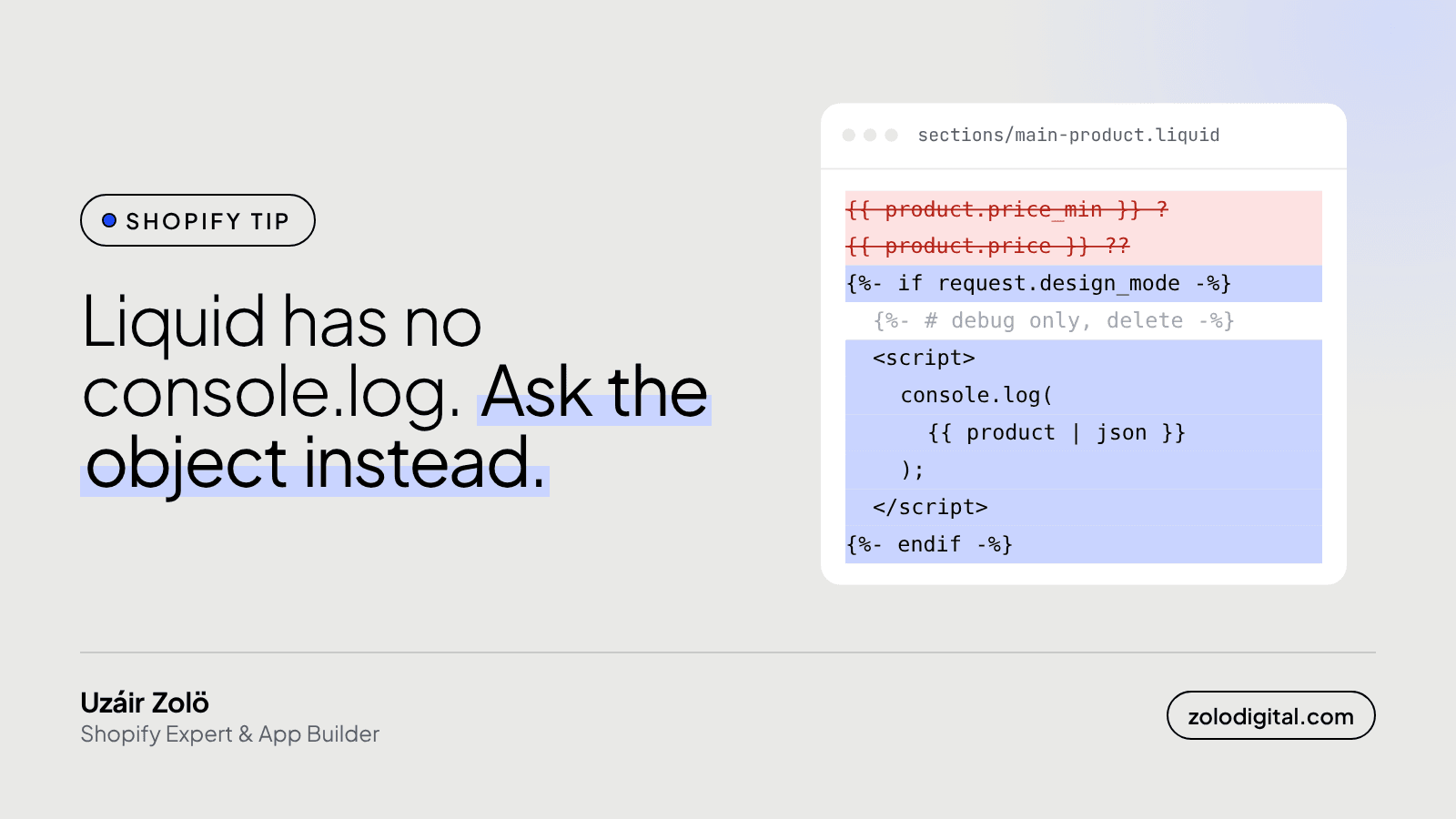
To see what a Liquid object actually contains, pipe it through the json filter: {{ product | json }} prints its fields with the real values. Put that inside a <script> with console.log and read it in your browser's DevTools. Do it on a duplicate theme, and delete it when you're done.
Liquid doesn't have a debugger. For years my method was guessing: is it product.price, product.price_min, or the variant's price? Save, refresh, squint, try the next one. The json filter ended that.
How do you print a Liquid object as JSON?
Add this to the template or section you're working on:
<script>
  console.log({{ product | json }});
</script>
Open the page, open DevTools (right-click, Inspect, Console), and expand the object. Every field Shopify exposes is there with its value for this product: variants, options, images, tags, prices. You stop guessing names and start reading them.
The same works for other objects:
<script>
  console.log('cart', {{ cart | json }});
  console.log('variant', {{ product.selected_or_first_available_variant | json }});
</script>
A label as the first argument helps when you log more than one thing.
Why are the prices so big?
Liquid and the JSON both give prices in the currency's smallest unit, so 2500 is 25.00. That's not a bug. In Liquid, format it with | money; in JavaScript, divide by 100 (for two-decimal currencies) or use your theme's money formatter.
How do you keep it off the live store?
Two habits:
- Work on a duplicate theme. Online Store → Themes → Duplicate, then preview the copy. Your customers never load it.
- Show it only in the theme editor. Wrap it in a check so it only runs while you're customising:
{%- if request.design_mode -%}
  <script>
    console.log({{ product | json }});
  </script>
{%- endif -%}
Then delete it before you publish. A debug line left in a theme is the kind of thing nobody notices for two years.
How do you pass Liquid values to JavaScript safely?
This is the json filter's day job, and it's useful far beyond debugging. Don't write this:
<script>
  var title = '{{ product.title }}';
</script>
The first product with an apostrophe in its name (Men's Shirt) closes the string early and the whole script breaks. Let the filter do the quoting:
<script>
  var title = {{ product.title | json }};
  var tags = {{ product.tags | json }};
</script>
It adds the quotes, escapes apostrophes, quotes and line breaks, and turns arrays into real JavaScript arrays. Note there are no quotes around the Liquid: the filter writes them.
What are the catches?
- Big objects are big.
{{ collection.products | json }}on a large collection dumps a lot of data into the page. Log one product or a small slice while you debug, not the catalogue. - Not every field comes through. Shopify leaves a few fields out of the JSON on purpose. If something you know exists is missing from the dump, check that object's page in Shopify's Liquid docs before deciding it isn't there.
- Need the data from JavaScript later? For a product, the storefront also serves it at
/products/<handle>.js, no Liquid needed.
The short version
| json turns guessing into reading. Log the object, find the field, delete the log. Then keep using the filter every time Liquid hands a value to JavaScript, so one apostrophe never takes your product page down again.
If your theme has a few years of mystery code in it and you'd like someone to untangle it without breaking the storefront, get in touch.


