
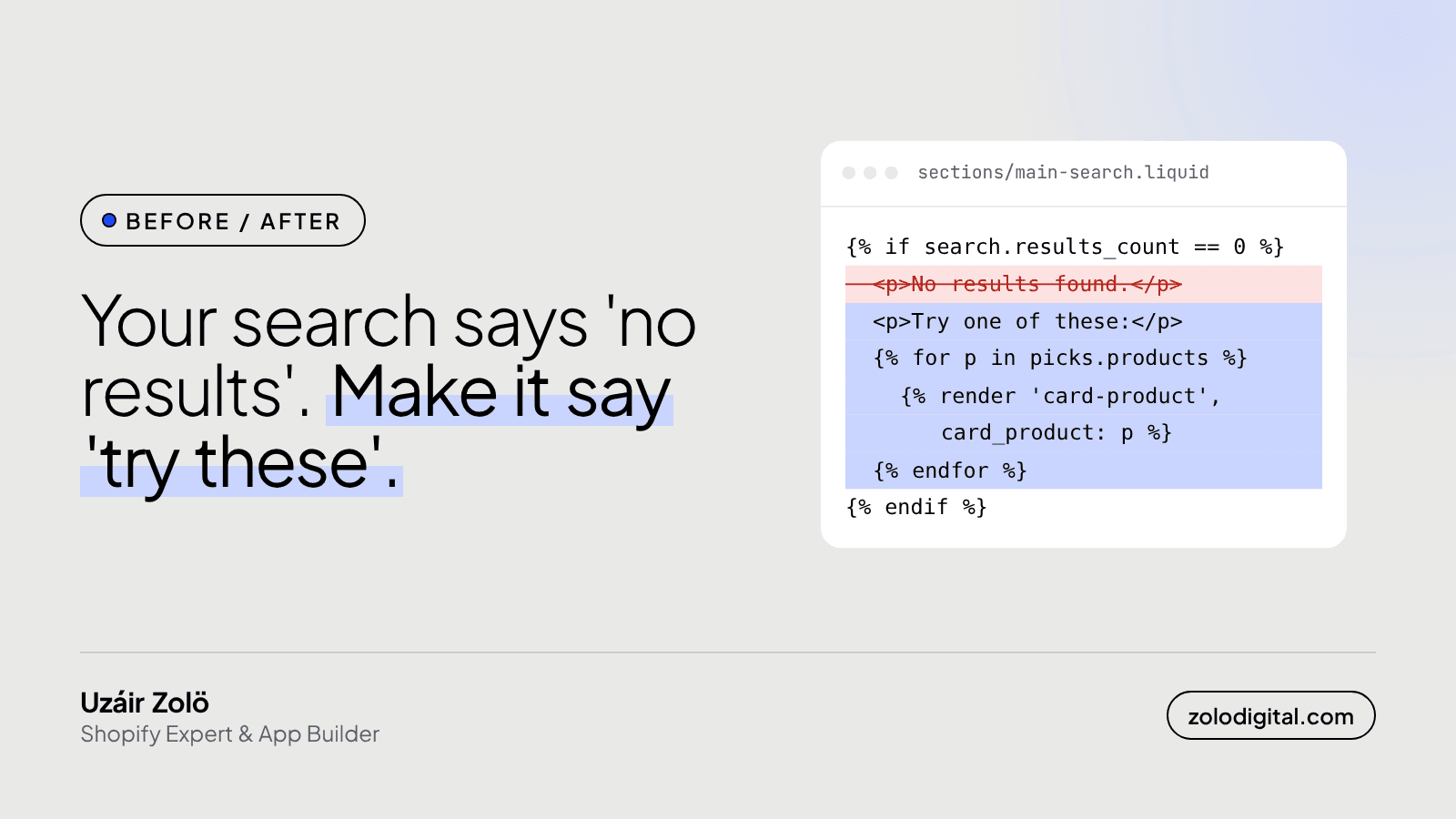
When a Shopify search finds nothing, the page should still give the shopper somewhere to go: repeat what they typed, show a row of products from a collection you choose, and link your main collections. Then cut down how often it happens by adding synonyms in Shopify's free Search & Discovery app. All of it is theme settings and a few lines of Liquid.
Most themes treat an empty search like a closed shop. "No results found." Nothing else on the page. The shopper came in knowing what they wanted, typed it, and got a wall. That's the one visitor who told you exactly what they were looking for, and the store answered with a shrug.
Why do Shopify searches come back empty?
Usually not because you don't sell the thing. The common reasons:
- Different words. They type "tshirt", your products say "tee". They type "hoodie", you wrote "sweatshirt".
- Typos and spelling. Shopify's search forgives some, not all.
- Fields that aren't searched. Text that only lives in an app widget or an image isn't something the store's search can match.
- The product really isn't there. Out of range, or a name from a competitor. Still a shopper you'd rather keep.
How do you find the searches that returned nothing?
Look at your analytics reports in the Shopify admin. There's a report for online store searches with no results. Read it once a month. It's the most honest list you'll ever get of what customers expect you to sell, in their own words.
What should the empty search page show?
Three things, in this order:
- What they searched for. "Nothing for 'tshrit'" makes a typo obvious without you saying so.
- Products to keep them going. Bestsellers or new arrivals, from a collection you pick.
- Your main collections. A short row of links, so the next tap is easy.
How do you add it in Liquid?
In Dawn and most themes built on it, the search page is the main-search section. Add a collection setting to its schema so the team can choose what shows, without asking a developer:
{
  "type": "collection",
  "id": "empty_collection",
  "label": "Products to show when search finds nothing"
}
Then, where the theme prints its "no results" message, add the fallback:
{%- if search.performed and search.results_count == 0 -%}
  <p>Nothing for "{{ search.terms | escape }}". Try one of these:</p>

  {%- assign picks = section.settings.empty_collection -%}
  {%- if picks != blank -%}
    <ul class="grid product-grid">
      {%- for product in picks.products limit: 8 -%}
        <li class="grid__item">
          {% render 'card-product', card_product: product %}
        </li>
      {%- endfor -%}
    </ul>
  {%- endif -%}
{%- endif -%}
search.terms is what they typed; escape keeps it from being read as HTML. card-product is Dawn's product card snippet, so the products look like every other grid on the store. If your theme names its card snippet differently, use that one.
For the collection links, the simplest version is a menu you already have, looped with linklists, or a few links added as blocks. Keep it short: four or five.
How do synonyms help?
Shopify's free Search & Discovery app has a synonyms setting. Add a group like "tee, t-shirt, tshirt" and a search for any of them finds products with the others. Start with the no-results report: every empty search that should have matched something is a synonym group waiting to be written.
What not to do
Don't redirect an empty search straight to the homepage. The shopper loses what they typed and has no idea what happened. Don't fill the page with a popup either. Show the term, show products, show the way out.
It's a small change. It's also the page your most decided shoppers land on when something goes wrong, which makes it worth ten minutes.
If you want someone to look at your search, product pages and the rest of the path to checkout, that's what the Shopify store audit is for.


