
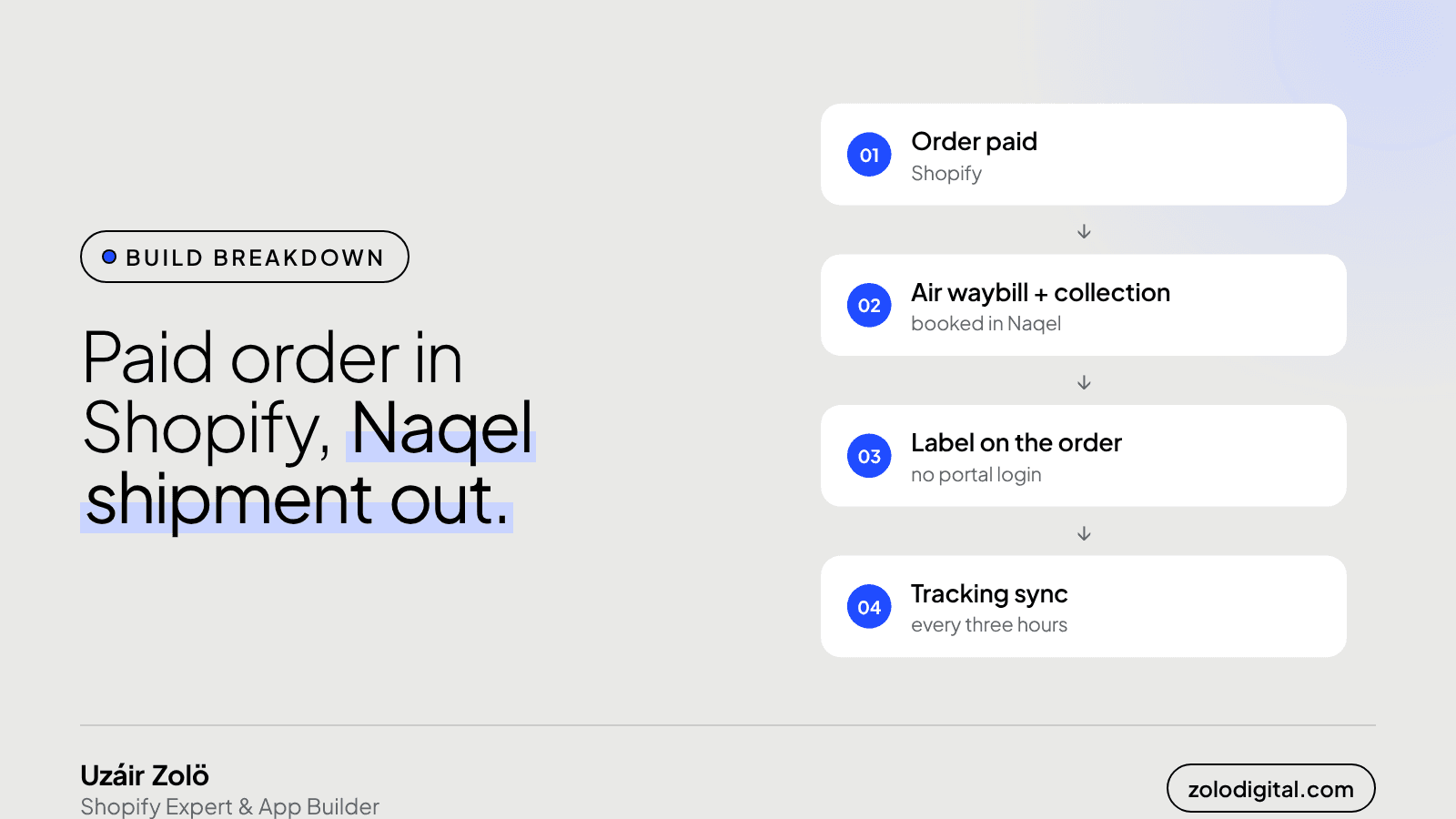
A Naqel integration for Shopify should turn every paid order into a shipment without anyone opening the courier portal. On payment it creates the air waybill, books the collection, attaches the label to the Shopify order and keeps tracking in sync, with cash on delivery handled. Anything less just moves the copy-paste somewhere else.
I built this for Balqees, a honey brand that runs three Shopify stores. The Saudi store, sa.balqees.com, ships with Naqel. Here's how the integration is put together and what I'd check in any courier build.
What happens when an order is paid?
Four things, in order:
- Air waybill. The order's address, items and contact details go to Naqel and come back as a waybill.
- Collection booking. The pickup is booked, so the parcel leaves the warehouse without a phone call.
- Label on the order. The shipping label is attached to the Shopify order, where the team already works.
- Tracking sync. Tracking is pulled back every three hours and kept on the order.
The trigger is payment, or a cash-on-delivery order, not just an order being created. An abandoned or unpaid prepaid order shouldn't book a courier.
How is cash on delivery handled?
Cash on delivery is supported. A COD order still triggers the booking; the difference is that the amount to collect has to travel with the shipment, so the courier knows what to take at the door. If your integration only handles prepaid orders, a share of your orders are back to manual booking.
Why sync tracking on a schedule?
A fixed three-hour sync is predictable. You always know the most out-of-date tracking can be, and one job checks every open shipment instead of each order being handled differently.
The point of syncing at all is that tracking lives on the Shopify order, not only in Naqel. I covered why that matters in Push courier tracking back to Shopify: if the customer can't see tracking, they email support instead.
What should you check before switching shipping over?
The booking is the easy part. Before an integration takes over real orders, test the paths around it:
- Failed bookings. A bad address or a courier-side error has to show up somewhere the team looks, not fail silently.
- Labels. Can the warehouse find and print the label from the order without logging into Naqel?
- Cash on delivery. Does the COD amount on the waybill match the order total?
- Cancellations and edits. What happens to a booked shipment when the order changes?
- Tracking. Does the customer see it, and does support see it on the order?
If the answer to any of these is "someone checks the portal", that's the gap to close before go-live.
Where is it now?
The Naqel integration is in final testing on the Saudi store, before it takes over Saudi shipping. It sits alongside the other custom work for Balqees: a loyalty app on balqees.com and the bilingual Arabic and English storefront. The full breakdown is in the Balqees case study.
Need a courier integration for your Shopify store?
If your team is still copying orders into a courier portal, that's a build, not a staffing problem. I build custom Shopify apps and integrations like this one. See Shopify app development, what I do for stores in Saudi Arabia and the UAE, or get in touch.


