
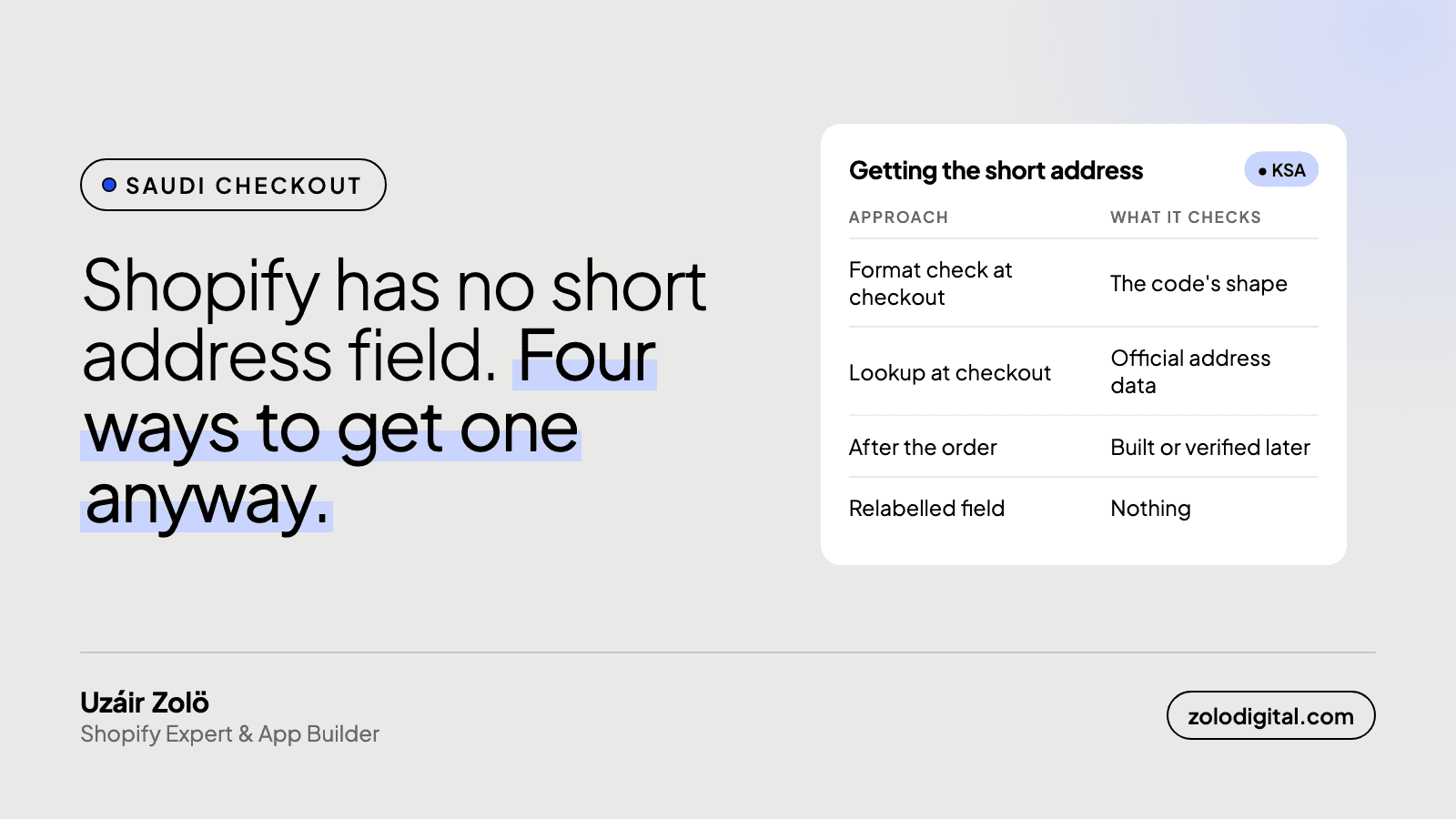
Shopify's checkout has no Saudi short address field, so you add one of four things: an app that checks the code's format and blocks checkout until it's there, an app that looks the code up in official address data, an app that gets it after the order, or a relabelled checkout field. The table shows when each fits.
Before the table, a disclosure: I built one of these apps, Checkout Toolkit KSA, and it sits in the first row. So read this with one eyebrow up. Everything I say about the other apps comes from their own Shopify App Store listings as they read on 28 November 2026, and each one is linked so you can check me.
What are the four ways to get the short address?
| Approach | Apps | What it checks | When | Price | Fits when |
|---|---|---|---|---|---|
| Format check at checkout | Checkout Toolkit KSA (mine), Saudi Checkout Guard | The code's shape: 4 letters, 4 digits | Before the order | Free | Every Saudi order has to arrive with a code, and addresses should stay inside Shopify |
| Look it up at checkout | Saudi Address Pro, Onwan, Saudi Address Finder | The address against official data (Address Finder works from a map pin) | Before the order | Free tier, then paid plans | Wrong codes cost you more than the lookups would |
| Get it after the order | Enwany, Quiqup KSA Address Validator, Onwan | Enwany builds the code from the address; the others verify what the customer sends | After the order | Enwany and Onwan: free tier, then paid plans | Checkout stays untouched, and you can hold an order while someone chases the code |
| Relabel a checkout field | No app (Quiqup's guide) | Nothing | Before the order | Free | A few Saudi orders a month, and a person reads every one |
Prices are in US dollars, from each listing on 28 November 2026.
What does a format check at checkout do?
It reads the delivery address and won't let a Saudi checkout finish until something shaped like a short address is in it: 4 letters for the area and 4 digits for the building, like RUKN2952.
- Checkout Toolkit KSA is mine. You pick address line 1, line 2 or either, and the error shows under that field in Arabic or English. Lower case, a space inside the code and Arabic digits are accepted. The listing says it checks express checkouts too and works on every plan. The check is free; Pro is $9 a month and adds city shipping rules.
- Saudi Checkout Guard requires four English letters and four digits in Address line 2, with messages in English and Arabic. It's free, city delivery rules included, which is the part I charge for. Its listing says plainly that it checks format only, without SPL verification.
What a format check is good at:
- Addresses stay in Shopify. The check runs inside Shopify's checkout. Mine is a Shopify Function, so delivery addresses never reach my servers, and neither listing asks to see customers' names or addresses.
- No bill per lookup. Checking the shape of a code costs the same at 10 orders a month as at 10,000.
- It happens before the order exists, while the customer is still on the page to fix it.
What it can't do is tell you the code is real. ABCD1234 has exactly the right shape. A format check is a bouncer who makes sure you brought an ID, not that the photo is you. It also adds a step: a customer who doesn't know their code has to go and find it before they can pay, and some of them won't.
When is looking the address up worth it?
A lookup app checks the code against official address data and fills in the full address, so a made-up code gets caught at checkout.
- Saudi Address Pro adds a widget to checkout. The customer types their short address and the app fills in the full address from Saudi Post (SPL). The listing shows 100 free lookups, then $49 a year for unlimited.
- Onwan uses the short address as a lookup key against official records and returns the full address. It works on the cart, at checkout and in customer accounts, and chases missing ones by email, SMS and WhatsApp. Free for 25 orders a month, then plans from $29 a month, with WhatsApp messages over the allowance, and SMS verification codes if you turn them on, charged on top.
- Saudi Address Finder skips the code: the customer drops a pin on their building and the app turns it into a National Address. Free for 25 resolved orders a month, then from $12 a month.
It's the mirror image of a format check. You learn that the address is real, but the code has to leave Shopify to be checked, and past the free tier you're paying for it. All three listings ask for access to customer addresses. That's how a lookup has to work, and it's also a line for your privacy policy.
Two questions to ask any app that puts a widget in checkout, because the listings don't answer them. What happens on Apple Pay and Shop Pay, where the customer can pay with an address their wallet already holds? And if you're not on Shopify Plus, where does the widget appear? Shopify keeps app blocks in checkout's information and shipping steps for Plus stores.
What about getting it after the order?
These apps leave checkout alone and start from the order once it's placed.
- Enwany converts the shipping address the customer typed into the official short address and saves it to the order's metafields, notes or tags. When that fails, it messages the customer on WhatsApp. Free for 25 orders a month, then from $30 a month.
- Quiqup KSA Address Validator collects missing National Address details after checkout, validates them against official Saudi postal systems and tags the order when it's ready to ship.
- Onwan, from the lookup row, does this part too.
The upside: checkout stays exactly as it is, and every order gets covered however it was paid, Apple Pay included, because the app works on the order rather than the form. The downside: the order exists before the code does. When the app can't work it out and the customer doesn't reply, the parcel waits and someone on your team gets a new hobby.
Can you do it without an app?
Yes, by relabelling a field. Quiqup's guide switches on the Company field in Settings → Checkout, makes it required, and renames it "National Address (Saudi Arabia)" in the theme's checkout text. Quiqup then reads that field as the National Address when it creates the shipment. It works on every plan and costs nothing.
It's also the only row in the table that checks nothing at all. Quiqup's own article makes the same point: Shopify accepts whatever the customer types. And the Company setting applies to every country, so customers in Dubai and London get a required "National Address" field too. If you only ship inside Saudi Arabia, that part doesn't matter.
On Shopify Plus, the field can be built properly instead, as a checkout extension that only appears for Saudi addresses. That's custom development rather than an app off the shelf.
Which one should you pick?
- You want no Saudi order placed without a code, with no running cost: a format check. Accept that a wrong code with the right shape gets through.
- Wrong codes already cost you rebooked or returned parcels: a lookup, with the plan priced against your monthly Saudi orders.
- Checkout is the one thing you won't touch: after the order, and a named person who owns the follow-ups.
- A handful of Saudi orders a month: the relabelled field, and read every order before it ships.
They aren't mutually exclusive, either. A format check makes sure a code is there; an after-order app can confirm it's real.
Did I get one wrong?
Listings change, and these apps are all young. If one of them has changed, or you think I've been unfair to it, email hello@zolodigital.com and I'll correct the post.
If a format check is the one you want, Checkout Toolkit KSA is free on the Shopify App Store, and the launch post walks through the setup. The code still has to reach the waybill, which Which Saudi couriers work with Shopify covers. And for a Saudi store end to end, Arabic right to left included, see Shopify for Saudi Arabia and the UAE.


