
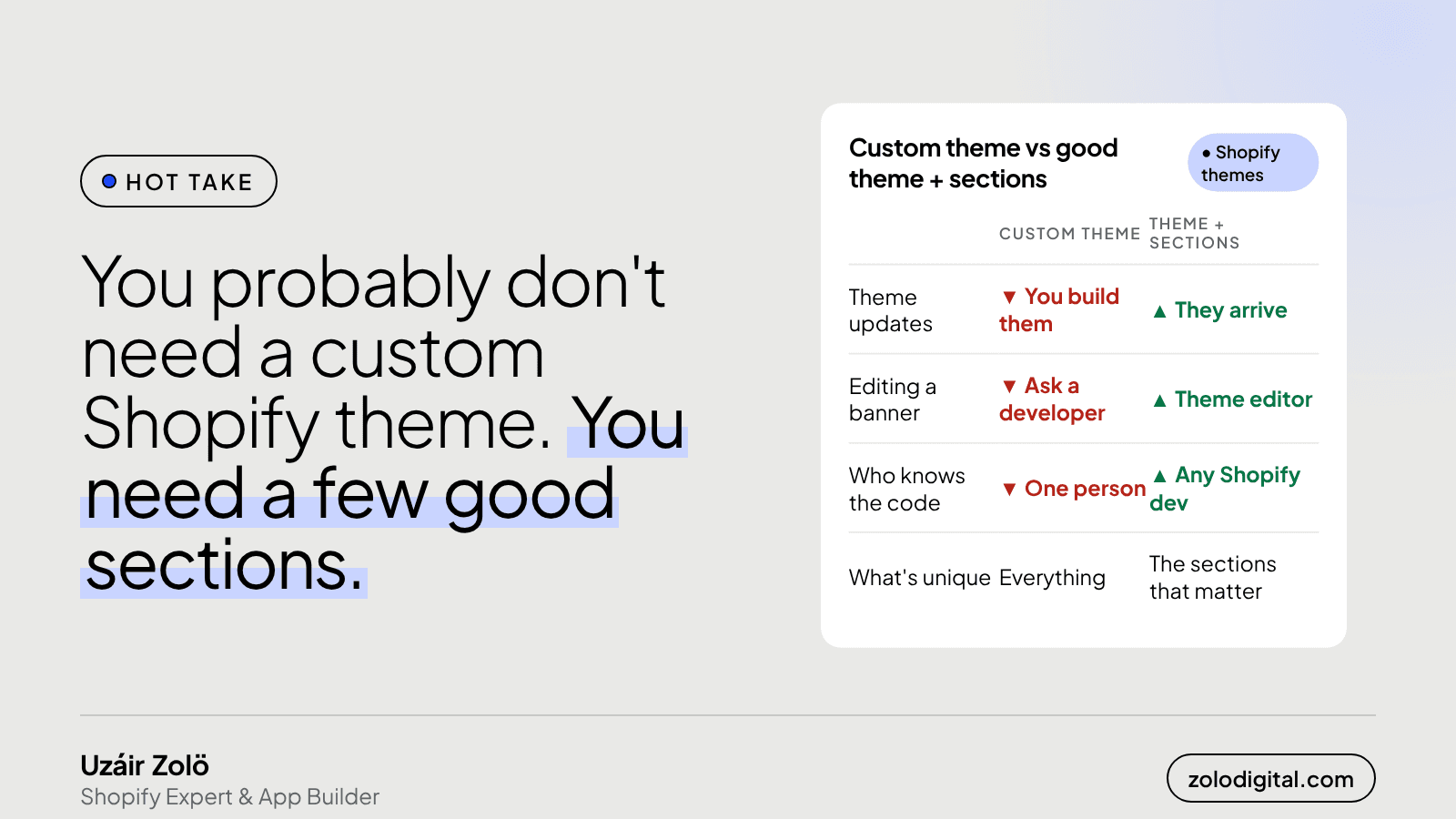
Most Shopify stores don't need a custom theme. A well-made theme already handles the cart, filters, search, accessibility and updates, and the parts that make your store different can be built as custom sections inside it. A from-scratch theme is worth it only when the store does something no existing theme can do.
I say this as someone who gets paid to write Shopify code, so take it as a confession rather than a sales pitch. I've built on Dawn, Horizon, Focal and Kalles, customised bought themes and written custom ones. The custom ones were the right call less often than the brief suggested.
What does a custom theme actually cost you?
The invoice is the small part. The bigger costs arrive later:
- Updates stop arriving. A theme from Shopify or a good theme developer gets fixes and new features. A custom theme gets whatever you pay for. When Shopify ships something new, it's your ticket.
- The theme editor gets thinner. Custom themes often expose fewer settings, so changing a banner, reordering a section or swapping a colour goes through a developer instead of your team.
- One person understands it. A known theme can be picked up by any Shopify developer. A custom one depends on whoever wrote it, and on how well they left notes.
- You rebuild the boring parts. Cart drawers, predictive search, filters, accessibility, image sizes for phones. A good theme already did that work and keeps it up to date.
What should most stores do instead?
Pick a solid theme and build custom sections only where it falls short.
A section is a Liquid file in the theme's sections/ folder with a {% schema %} block at the bottom. The schema is what puts its settings in the theme editor, so your team can change the text, images and layout without opening code:
{% schema %}
{
  "name": "Sale collections",
  "settings": [
    { "type": "text", "id": "heading", "label": "Heading" },
    { "type": "collection", "id": "collection", "label": "Collection" }
  ],
  "presets": [{ "name": "Sale collections" }]
}
{% endschema %}
That's how two stores I've worked on are set up. Makeup City runs on Shopify's own Horizon theme. Zero Lifestyle moved from Dawn to Focal, and its custom sections came along: a hero slider, a category grid, a product specs block and tabbed sale collections. Each sale season since has been built from those same blocks instead of a one-off page. (The move itself is written up in what breaks when you switch Shopify themes.)
When is a custom theme worth it?
When the store's core experience is something no theme ships:
- A product people design themselves, like a print-on-demand product designer.
- A buying flow that doesn't look like product page, cart, checkout.
- A brand where the layout itself is the product, and the budget to maintain it for years.
Even then, it's worth checking whether one custom template inside a good theme does the job before writing the whole theme.
How do you know if your theme is the problem?
Often it isn't. A slow or messy store is usually carrying apps, leftover code and one-off edits on top of a perfectly good theme. Before replacing anything, check which apps are earning their place and what the theme already does that nobody switched on.
If you'd like a second opinion, a Shopify audit tells you whether to keep the theme, fix it or move. And if you're starting fresh, a new store build starts from a good theme and adds the sections your brand actually needs. Custom where it counts, boring where boring works.


