
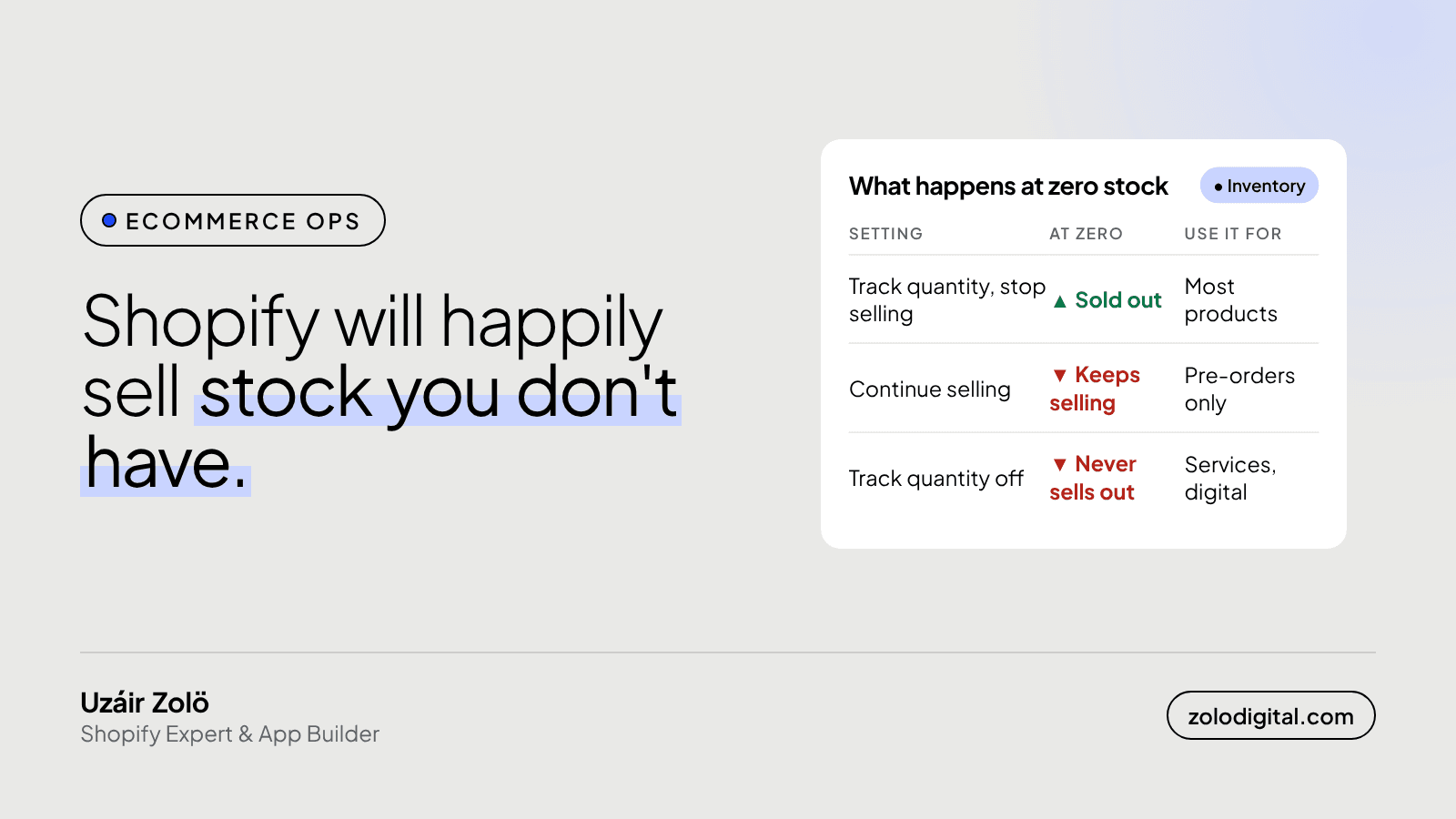
A Shopify store keeps selling out-of-stock products for one of two reasons: the variant has "Continue selling when out of stock" ticked, or "Track quantity" is switched off, so Shopify never counts down at all. To find them, export your products and filter the Variant Inventory Policy and Variant Inventory Tracker columns, then fix the ones that aren't pre-orders.
It's one of the quieter ways a store loses goodwill. The product page says "Add to cart", the customer pays, the order lands, someone walks to the shelf, and the shelf is empty. Now support writes the apology, finance does the refund, and the customer remembers you as the store that took their money for nothing.
What does "Continue selling when out of stock" actually do?
It tells Shopify to keep a variant available after its inventory reaches zero. The quantity goes negative, the "Sold out" label never appears, and the variant stays in stock as far as your theme is concerned. In the product CSV the same setting is the Variant Inventory Policy column: deny stops selling at zero, continue keeps going.
"Track quantity" being off is the louder version of the same problem. With no tracking, Shopify doesn't keep a count, so the variant is always available. In the CSV that shows up as an empty Variant Inventory Tracker column instead of shopify.
How does it get switched on without anyone noticing?
Almost nobody ticks it on purpose. It tends to arrive with something else:
- A product CSV import where the inventory policy column says
continue, applied to every row in the file. - A migration from another platform, where the old store's backorder setting was carried across as-is.
- Duplicating an old product to save time. The copy takes the original's settings, including this one.
- Track quantity switched off at setup, often because the stock count lived somewhere else at the time.
None of these look wrong on the product page. The page looks perfect. That's the problem.
How do you find every product that's doing it?
The quickest check doesn't need an app:
- In the admin, go to Products → Export, choose all products, and export as a CSV.
- Open it in a spreadsheet and filter Variant Inventory Policy for
continue. - Then filter Variant Inventory Tracker for blanks.
- Go down both lists and ask one question per row: is this a pre-order, a made-to-order item, a service or something digital? If not, it shouldn't be there.
To fix them in bulk, select the products in the admin, open the bulk editor, and add the "Continue selling when out of stock" and "Track quantity" columns. You can change dozens of variants on one screen instead of opening each product.
If your stock count comes from a warehouse system or an OMS, check that its sync isn't writing the policy back as continue on the next update, or you'll be doing this again next week.
When is continue selling the right setting?
When you really can fulfil the order later, and the customer knows it before they pay:
- Pre-orders for a product that's on its way.
- Made-to-order items, where nothing sits on a shelf.
In those cases, say so on the product page. In Liquid, a variant that is tracked, at zero and still sellable looks like this:
{%- assign v = product.selected_or_first_available_variant -%}
{%- if v.inventory_management == 'shopify'
  and v.inventory_quantity <= 0
  and v.inventory_policy == 'continue' -%}
  <p class="preorder-note">
    Pre-order: ships when new stock arrives.
  </p>
{%- endif -%}
Swap the wording for your real ship date, and change the button text to "Pre-order" if your theme lets you. A customer who chose to wait is fine. A customer who didn't know they were waiting is a support ticket.
What's the short version?
Export, filter for continue and for untracked variants, and switch off everything that isn't a real pre-order. It takes five minutes and saves a run of apology emails.
If your stock, orders and couriers still don't agree with each other, that's the kind of thing I check in a Shopify audit, or tell me what keeps going wrong.


