
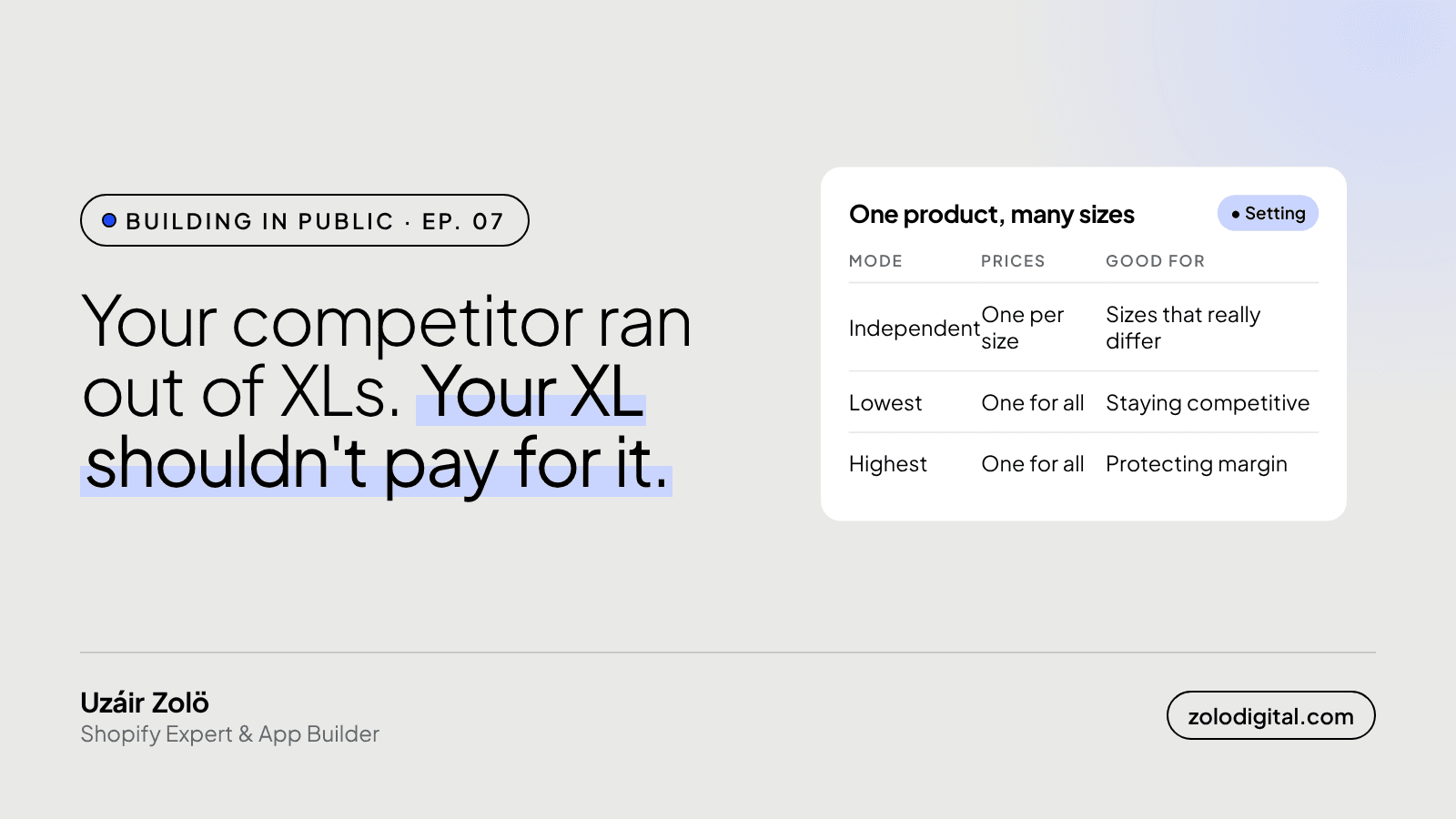
Only when the variants really are different products to you. A repricing app checks competitor prices per variant, so left alone it can give every size its own price for reasons that are about your competitor's stock, not your costs. PriceToolKit lets you price variants independently, or give every variant the lowest or the highest suggestion.
In Ep. 06 auto mode got its go-live order. This one is about a smaller setting that decides what your product pages look like once it's on: what happens when one product has many variants.
Why does a repricing app price per variant at all?
Because that's where prices live. In Shopify, the price belongs to the variant, not the product: Small, Medium and Large each carry their own. Competitors work the same way. They discount one colour, sell out of one size, or forget to update a variant after a supplier change.
So PriceToolKit matches and checks competitors variant by variant, and a rule can be scoped to a single variant. That precision is the point. It also means that if a competitor's XL sells out, the cheapest in-stock XL is now somewhere else, and your XL's suggestion moves while your Small stays put.
What goes wrong when every size follows its own competitor?
Nothing in the maths. Every suggestion is correct on its own, and each one comes with the explanation of how it got there.
The product page is where it shows. A shopper picks Medium, sees one price, switches to Large, sees another, switches back. On a T-shirt where every size costs you the same, that looks like a mistake at best and a trick at worst. And the collection page starts showing "From" prices on products that used to have one.
What are the three variant modes?
PriceToolKit's settings decide whether the variants of one product are priced on their own or together:
- Independent. Each variant gets its own suggestion. Right for products where variants genuinely differ: sizes that use more material, bundles, a premium finish.
- All take the lowest. Every variant of the product gets the lowest suggestion among them. One price on the page, and the competitive one.
- All take the highest. Every variant gets the highest suggestion. One price on the page, and the one that's kinder to your margin.
The rest of the rule works as before. You still choose which competitors count, the position against them and the limits, and in auto mode the caps on each change and on changes per day still apply.
How do you choose?
My rule of thumb: if the variants cost you the same, they should cost the customer the same. That's most apparel, most colourways and most "same product, different scent" catalogues. Pick lowest if you're competing on price and the margin can take it, highest if it can't.
Keep independent pricing for products where you'd already charge different amounts by hand. If you wouldn't set a different price for the XL yourself, an app shouldn't do it for you either.
How can you check which products already have mixed prices?
Liquid can tell you. product.price_varies is true when a product's variants don't share one price, so a quick loop in a test template lists them:
{% for product in collections.all.products %}
  {% if product.price_varies %}
    {{ product.title }}:
    {{ product.price_min | money }} to {{ product.price_max | money }}
  {% endif %}
{% endfor %}
collections.all is paginated in Liquid, so on a large catalogue wrap it in {% paginate collections.all.products by 50 %}, or export products from the admin and sort by price per handle. Either way, run it on an unpublished theme, never the live one.
The list is usually shorter than you'd expect, and every product on it should be there on purpose.
What's next?
PriceToolKit is still in development. If you're tired of checking competitor prices by hand, join the waitlist and I'll email you when it's ready to install.


