
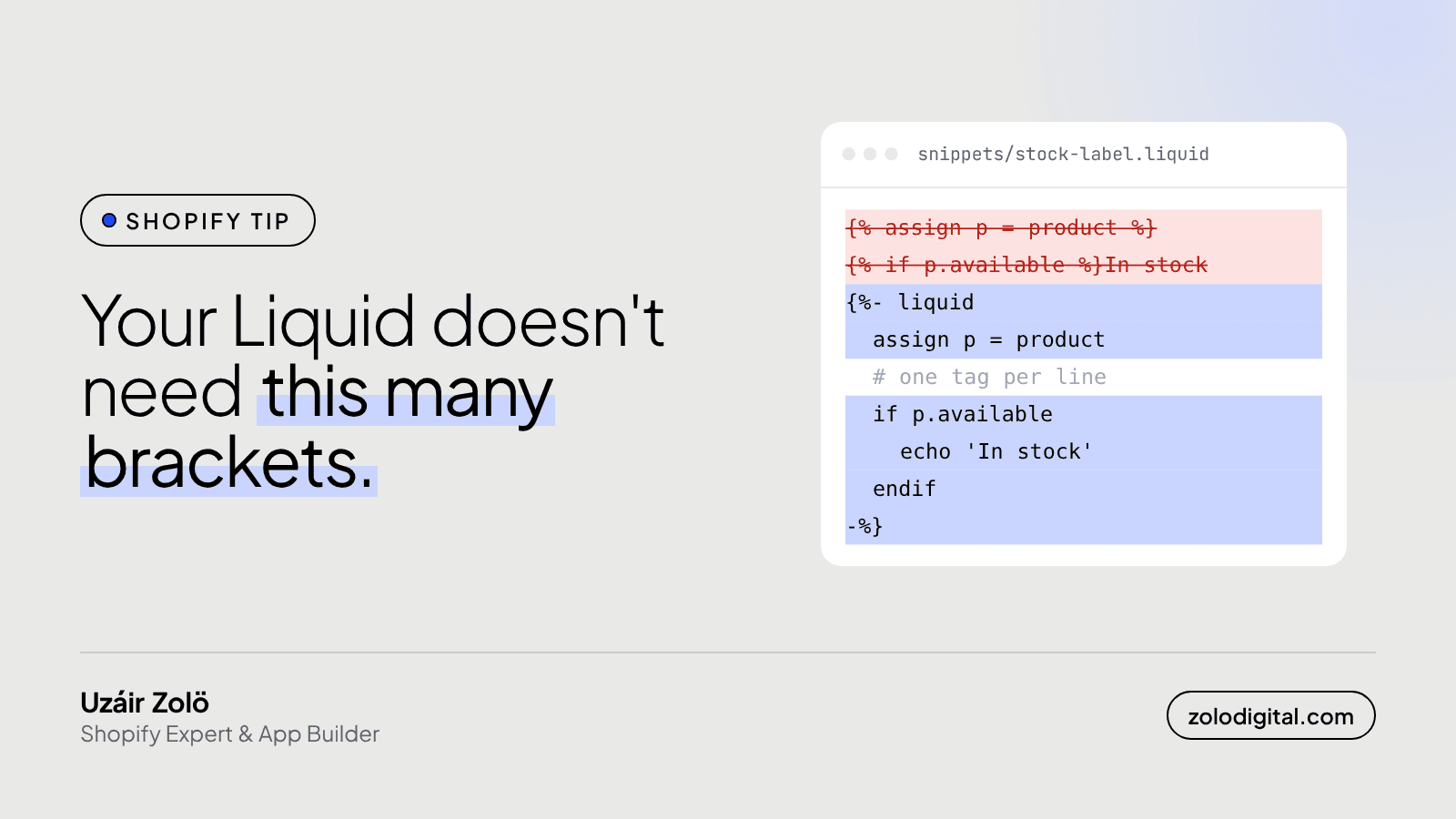
The {% liquid %} tag lets you write several Liquid tags inside one block, one per line, without wrapping each in {% %}. Use echo to print output, start a line with # for a comment, and keep HTML outside it. It doesn't change what the code does or how fast it runs. It makes theme logic much easier to read.
I used to write snippets that looked like a staircase made of brackets. Every line opened a tag and closed it, and half my time reading them went on finding where the logic actually was.
What does the old way look like?
A small stock label, written the classic way:
{%- assign p = product -%}
{%- assign low = false -%}
{%- if p.available -%}
  {%- if p.selected_or_first_available_variant.inventory_quantity < 5 -%}
    {%- assign low = true -%}
  {%- endif -%}
{%- endif -%}
{%- if low -%}Only a few left{%- elsif p.available -%}In stock{%- else -%}Sold out{%- endif -%}
It works. It's also mostly punctuation.
How do you write it with the liquid tag?
The same logic inside one {% liquid %} block:
{%- liquid
  assign p = product
  assign low = false

  # low stock = fewer than 5 of the selected variant
  if p.available and p.selected_or_first_available_variant.inventory_quantity < 5
    assign low = true
  endif

  if low
    echo 'Only a few left'
  elsif p.available
    echo 'In stock'
  else
    echo 'Sold out'
  endif
-%}
Each line is a tag on its own. assign, if, for, case, capture and render all work as usual, closing tags included.
How do you print something inside it?
There's no {{ }} inside the block, so you use echo. It takes filters like any output:
{%- liquid
  for tag in product.tags limit: 3
    echo tag | escape | append: ' '
  endfor
-%}
echo also works on its own outside the block, as {% echo product.title %}, but you'll mostly see it in here.
How do you add comments?
Any line starting with # inside the block is a comment. Use it for the "why", the bit that isn't obvious from the code: why 5, why that tag, which app expects this. Future you will read these.
What are the catches?
- No HTML inside. The block is logic only. Either
echothe markup (fine for a short string) or close the block and write the HTML normally. For anything bigger than a label, keep the logic in the block and the markup below it. - Indentation is for humans. Liquid doesn't care about it, so a missing
endifis still missing. Indent anyway, it's how you'll spot one. - Whitespace. Write it as
{%- liquid ... -%}so the block doesn't leave blank lines in the HTML around it. - It's not a speed fix. Same logic, same work on Shopify's servers. If a section renders slowly, the cause is usually loops, not brackets: see the Liquid loop that slows your store down.
When should you use it?
Anywhere you have three or more tags in a row with no HTML between them: the setup at the top of a section, variant and price logic in a product card, building a list of classes. Leave simple one-line {% if %} around a bit of markup as it is. Mixing both styles is fine; the point is readable files, not a rule.
The short version
One tag, one line each, echo to print, # to explain yourself. Your store won't get faster. The person who opens the file next will hate you a little less, and that person is usually you.
If your theme is a few years of patches on top of each other and you'd like someone to tidy it without breaking the storefront, get in touch.


