
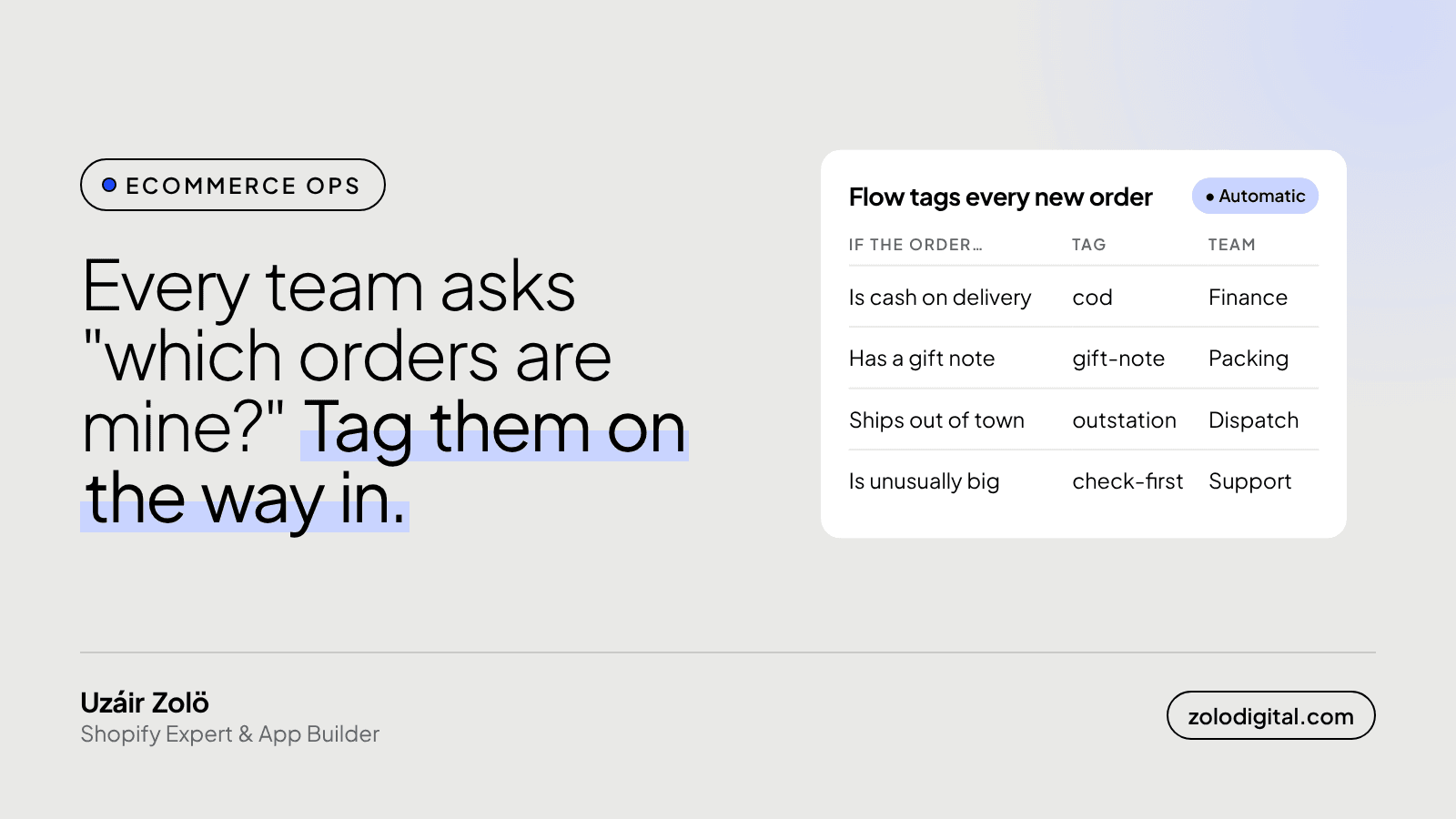
To tag Shopify orders automatically, build a Shopify Flow workflow that starts on "Order created", checks a condition (payment method, a gift note, the shipping city, the order total) and runs "Add order tags". Then each team saves a filtered view of the Orders page for its own tag, and nobody has to scroll the full list looking for their orders again.
Every store has someone whose real job, at least for part of the day, is scrolling the orders page and squinting. Finance squints for cash on delivery. Packing squints for gift notes. Dispatch squints at addresses. Support squints at anything large enough to become a problem later. It works, right up to the busy day when it doesn't.
Why use order tags instead of just searching?
Because a search is something a person has to remember to do, and a tag is something the order already carries. Once an order has a tag, you can filter the Orders page by it, save that filter as a view, and use the same tag in exports and in other Flow workflows. The order sorts itself on the way in, and the decision about what counts as "a COD order" or "an out-of-town order" is made once, in one place, instead of by each person on each shift.
How do you set up the Flow workflow?
Shopify Flow is Shopify's own automation app. One workflow per tag keeps things easy to read:
- Trigger: Order created.
- Condition: the thing that defines the group. For example, the payment gateway names include your cash on delivery method, the order note isn't empty, the shipping address city isn't your home city, or the total price is above the amount your team treats as a big order.
- Action: Add order tags, with one tag such as
cod,gift-note,outstationorcheck-first. - Test it on a few test orders before turning it on, and look at the tags on the order page, not just the workflow's run log.
If you'd rather have one workflow, you can chain several conditions in it, but a small workflow per tag is much easier to switch off when one rule turns out to be wrong.
What tags are worth adding?
Start with the questions your team asks out loud every day. In most stores those are:
codfor cash on delivery orders, so finance can reconcile them against the courier's payout.gift-notewhen the order has a note or a gift message, so packing doesn't ship a birthday present without the card.outstationfor orders leaving your city, so dispatch books the right courier.check-firstfor orders above your usual size, so someone looks at them before they ship.
Then save one view per team on the Orders page, filtered by its tag. That view is the team's inbox.
How do you stop tags from turning into a mess?
Tags are free text, which is both why they're useful and how they go wrong.
- Lowercase, one word, no spaces.
COD,codandCodlook the same to a person and different to a filter. - Write down what each tag means and who reads it. A shared sheet with one row per tag is plenty. A tag nobody can explain is decoration.
- Take a tag off when it stops being true. Flow has a "Remove order tags" action for this. Otherwise views fill up with orders that were dealt with last week.
- Don't let people invent tags by hand for the same thing Flow already tags. One rule, one tag.
What's the short version?
Decide the groups your team keeps looking for, let Flow tag them the moment the order arrives, and give each team a saved view. It's not exciting. It just means fewer people squinting at the same list.
If your orders, couriers and support tools still don't talk to each other, that's the kind of thing I look at in a Shopify audit, or tell me what your team is squinting at.


