
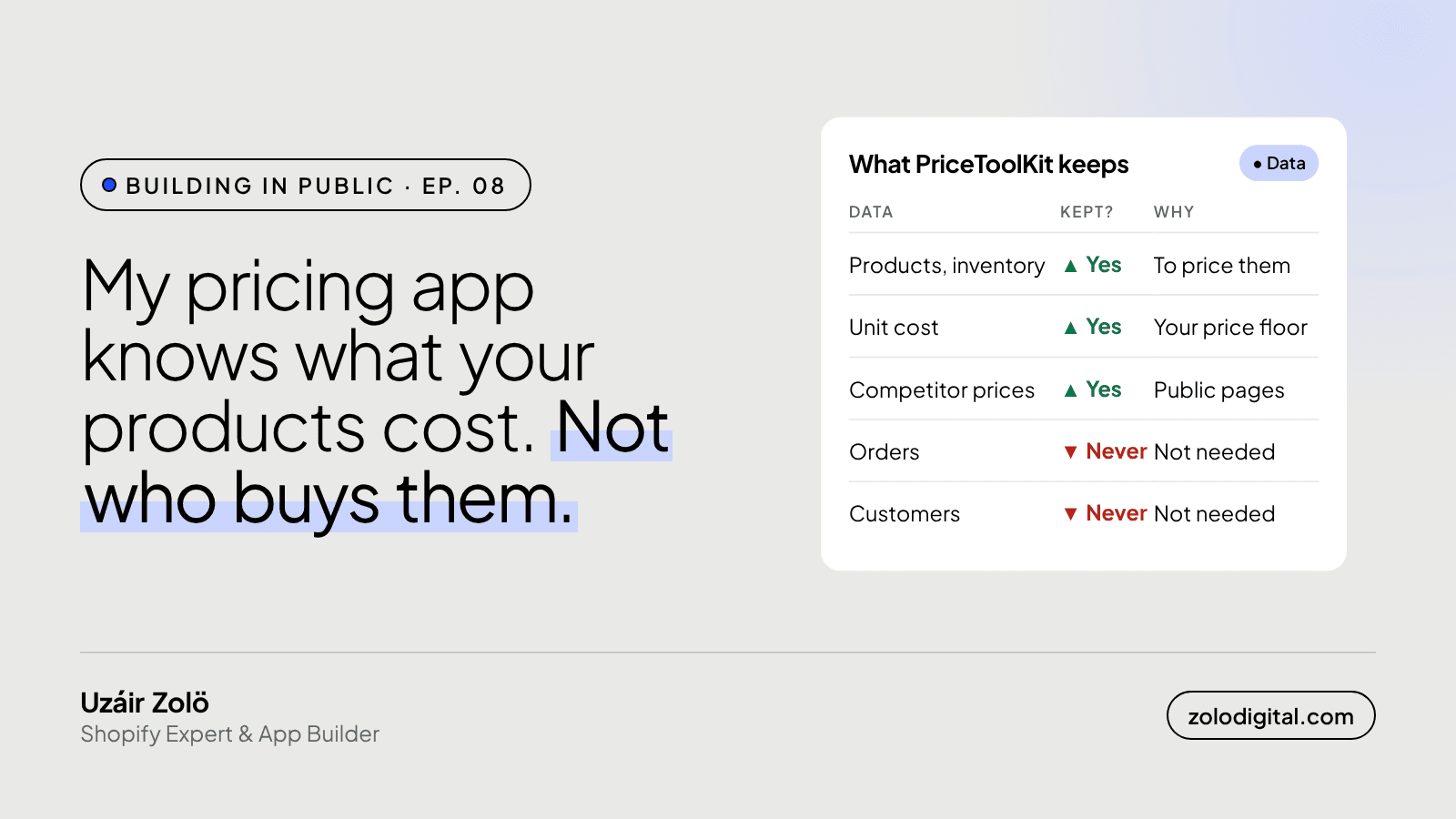
Your products, your inventory and your unit costs. Not your orders, and not your customers. A repricing app compares your prices with competitors' public prices and writes new ones back, so PriceToolKit asks Shopify for product and inventory access only. It never requests the read_orders or read_customers scopes, so it holds no customer records at all.
In Ep. 07 the app learned to keep one tidy price per product. This one is less about pricing and more about the screen everyone clicks straight past: the permissions an app asks for when you install it.
Why does a repricing app not need your orders?
Because nothing in the job uses them. A pricing rule needs three things: your current price, what it costs you, and what the competitors you picked are charging. The first two live on the product and variant. The third lives on other people's public product pages.
Sales data could feed clever features, but "could" is how apps end up holding years of order history they never look at. Each scope an app asks for is one more thing it has to protect, and one more thing you have to trust it with. So the rule while building was simple: if a feature can be done without a scope, it is.
What does PriceToolKit store about your store?
The privacy policy is written from the database schema rather than a template, so this list is the whole thing:
- Your shop: the .myshopify.com domain, plan and currency, plus the access token that lets the app read your catalogue and write prices you've approved.
- Your products: title, vendor, product type, tags, status, handle, SKU, barcode, price, compare-at price, unit cost and inventory quantity. Unit cost is used only to enforce the margin floors you set.
- Your competitors: the URLs you add or accept from a suggested match, and the price, currency and stock status read from those public pages.
- What the app did: every suggestion with its reasoning, every change pushed, every revert. That audit trail is what makes the one-click revert possible.
- Your settings: repricing mode, caps, digest preferences.
What personal data does it hold?
Two things. The email address the daily digest goes to (your store's contact email by default, editable in Settings), and the staff session details Shopify's own sign-in passes over when someone opens the app. That's the complete list. No orders, carts, customer records, addresses or payment details, because the app never asked for them.
Where does any data go?
Only where a feature needs it:
- Shopify receives the price changes you approved.
- Resend receives the digest and the address it goes to.
- Optional, off unless configured: a scraper API gets a competitor's public URL when a site blocks direct requests, Anthropic gets trimmed HTML of a competitor's public page to find where the price sits, and a search provider gets a product title or barcode to find retailers selling the same product.
None of those carries customer data, because there isn't any. And when you uninstall, Shopify notifies the app 48 hours later and everything held for your store is erased. Prices already pushed stay as they are, so revert first if you want them undone.
What should you check before installing any Shopify app?
The same three questions work for every app, not just mine:
- Do the scopes match the job? A size-chart app asking for customers deserves a question.
- Does the privacy policy name what's stored? "We may collect information" is a template. A list of fields is a policy.
- What happens when you uninstall? Find out what stays behind, both in their database and in your theme.
The permissions screen takes ten seconds to read. It's the cheapest audit you'll ever run.
What's next?
PriceToolKit is still in development. If you're tired of checking competitor prices by hand, join the waitlist and I'll email you when it's ready to install.


