
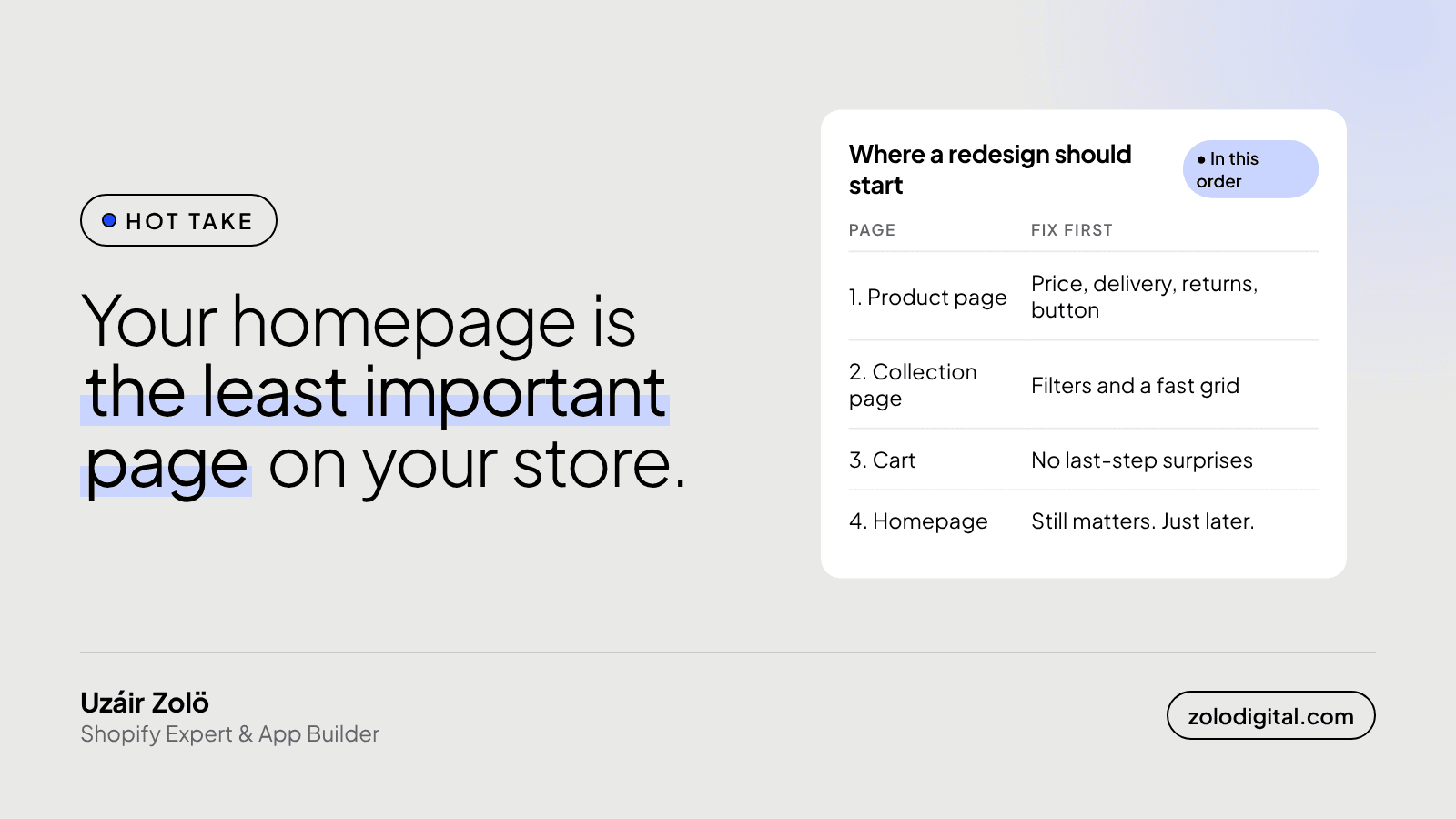
For most Shopify stores, no. Shoppers who come from ads, Google and social posts usually land on a product or collection page, not the homepage. So the product page, the collection page and the cart deserve the redesign budget first. The homepage still matters, it just isn't where most people walk in. Your own analytics will tell you in two minutes.
I say this as someone who has happily spent days on homepages. It's the page the founder opens every morning, the one in the pitch deck, the one that gets the hero video and the third round of "can the logo be a bit bigger". Everyone has an opinion about it. That's exactly the problem.
Where do Shopify shoppers actually land?
Think about how people find a store. They tap an Instagram post of a product. They click a shopping ad for a product. They search for the thing they want and Google sends them to the page about that thing. Every one of those journeys starts on a product or collection page.
The homepage gets the people who typed your name in: returning customers, people who saw a story, the founder's family. Real visitors, but usually not the ones you're paying to bring in.
How do you check this on your own store?
In Shopify admin, open Analytics → Reports and find the Sessions by landing page report. Set the date range to the last 30 or 90 days and sort by sessions. Then look at two things:
- How many sessions start on the homepage compared with product and collection pages added together.
- Which individual product pages bring in the most first visits. Those are your real front doors.
If your homepage really is the top landing page, good: this post isn't for you, and your homepage deserves the attention. If it isn't, you now have a better order of work than "redesign the homepage".
What should you fix first instead?
In the order I'd do it:
- The product page. On a phone, without scrolling around: the price, when it arrives, how returns work, and the add to cart button. Then photos that load fast at the right size (I wrote about responsive images in Shopify). Most stores lose people here, quietly.
- The collection page. Filters that match how people actually shop the range, and a grid that loads before the thumb gives up. If yours drags, start with why Shopify collection pages get slow.
- The cart. No surprises at the last step. Shipping cost, delivery time and payment options should be known before checkout, not discovered in it.
- Then the homepage. Now redesign it, with the product page doing its job underneath.
None of these needs a new theme. Most of them are a few sections and a clear-eyed look at the page on a phone.
Does the homepage still matter at all?
Yes. Returning customers use it as a menu. People who land on a product page sometimes tap the logo to see who you are, and the homepage has to answer that quickly: what you sell, why you, and where to go next. It's the second page for a lot of visitors.
It's just a bad first place to spend the budget when most first visits never see it.
The short version
The page with the most opinions is rarely the page with the most traffic. Check the landing page report, fix the pages people actually arrive on, and save the hero video for later.
If you'd like a second pair of eyes on your product and collection pages, that's what my Shopify audit covers. For a full rework of the shopping pages, see Shopify UX and UI design.


